Your customer portal
Follow your tickets, view meetings and see your support plan.
NORDIC CRM / CUSTOMER PORTAL
Your tickets, your meetings and the people behind them. Together in one place.
Enter your email. We will send a one-time code, even if you are new here.
Follow your tickets, view meetings and see your support plan.
Submit a ticket or find answers in our guides. You can contact us without a support plan.
Start with your needs. We help with customer access and the right support plan.
Guides, frequently asked questions and help with your Zoho solutions.
Here you see your upcoming, completed and cancelled meetings. To reschedule or cancel, use the links in your confirmation email.
We spend one hour with you on your needs, your Zoho setup and how best to get started. It is free and without obligation.
Already have a support agreement? Log in to the portal to book support, errors and development.
Kick-off meetings are taken by Daniel on weekdays 11–15. All times are shown in Copenhagen time.
Choose your needs. We suggest a plan, and you can request an upgrade or a new agreement.
79 kr.
per user / month, excluding VAT
Email
Normal: 48 service hours
Critical: 24 service hours
0 min. advisory / month
0 h. minor changes / month
129 kr.
per user / month, excluding VAT
Email and phone
Normal: 24 service hours
Critical: 12 service hours
30 min. advisory / month
1 h. minor changes / month
299 kr.
per user / month, excluding VAT
Email, phone and video
Normal: 12 service hours
Critical: 6 service hours
60 min. advisory / month
3 h. minor changes / month
A request does not change your agreement. We clarify needs, booking and terms with you first. Response time means the first qualified response, not a guaranteed resolution.
See all services and agreement terms →Lav et felt til korte tekster, fx en kundereference.
 Zoho CRM
Tilføj et felt, hvor I kan skrive en kort tekst på kontakter, fx et kundenummer eller en afdeling, så alle kolleger gemmer oplysningen det samme sted.
Det skal du bruge
✓Administratoradgang til Setup i Zoho CRM
✓Et navn til feltet, som alle kolleger forstår
Klik på tandhjulet øverst til højre i Zoho CRM. Så er du inde i Setup.
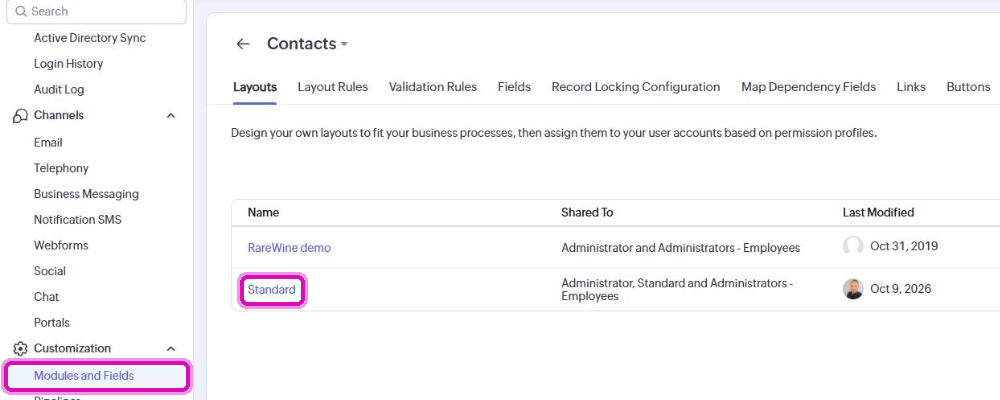
Vælg Customization i menuen til venstre, og klik på Modules and Fields. Klik derefter på modulet Contacts.
Under fanen Layouts vælger du det layout, som I bruger, fx Standard.
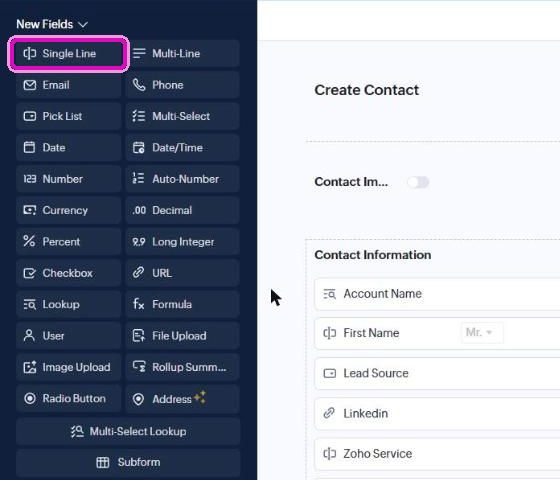
Til venstre ser du panelet New Fields med alle felttyper. Vælg Single Line til en kort tekst på én linje. Har du brug for flere linjer, så vælg Multi-Line.
Træk feltet over i den sektion, hvor det skal stå, fx Contact Information.
Åbn feltets indstillinger med ··· til højre på feltet, og skriv et tydeligt navn. Brug dansk eller engelsk, men hold dig til ét sprog i hele jeres CRM.
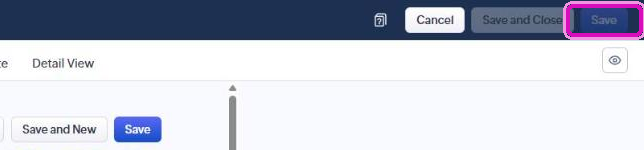
Klik Save øverst til højre. Feltet er nu klar og kan ses på alle kontakter, når du åbner eller opretter en.
Sidder du fast?
✓Kan du ikke se Setup, mangler du administratorrettigheder. Bed en administrator om hjælp.
✓Har I flere layouts, skal feltet tilføjes i hvert af dem, før alle kan se det.
Læs mere: Zohos egen vejledning til at oprette egne felter (engelsk).
This is optional. We create your contact in CRM. Our team confirms your company and support plan.